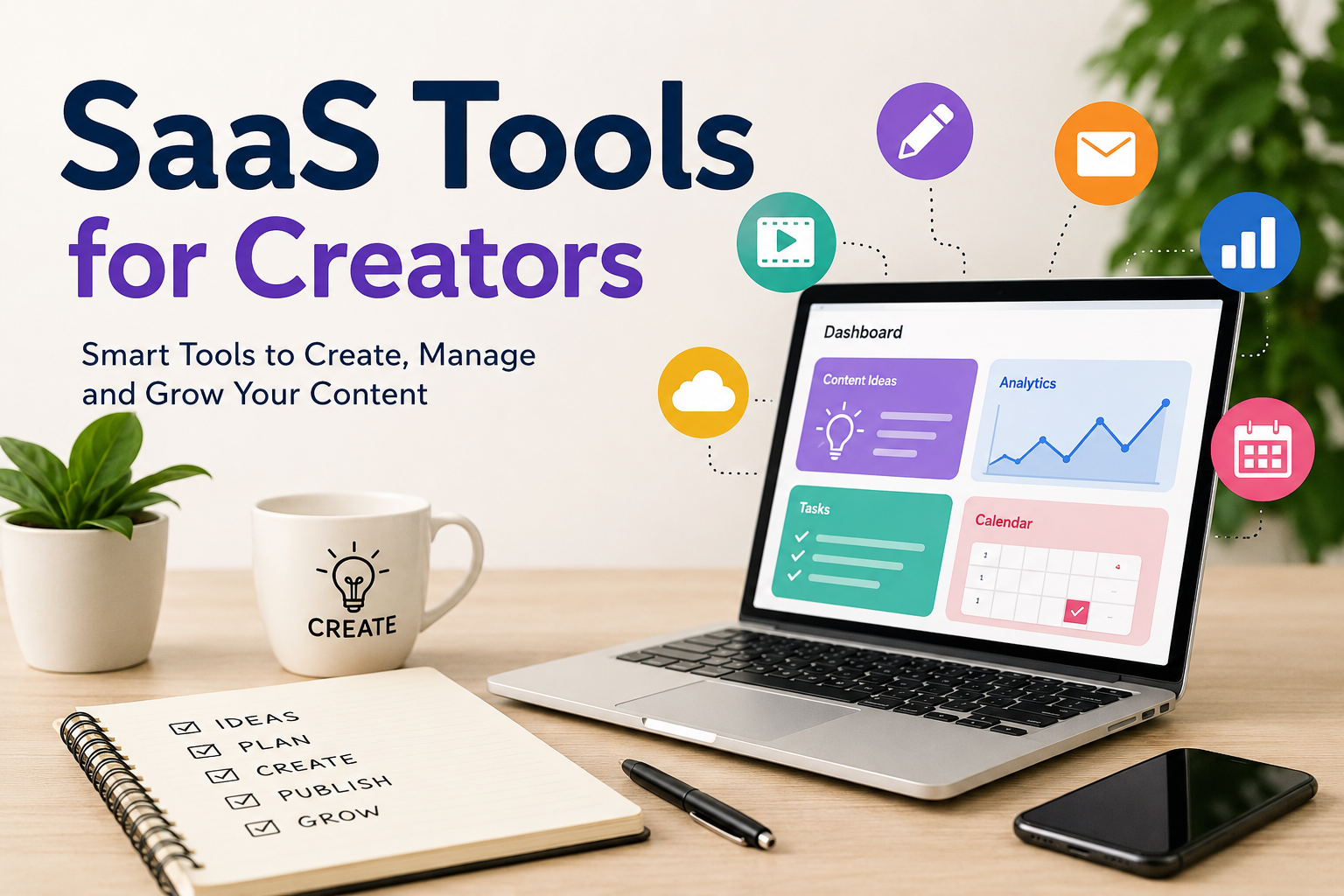
As a creator, I believe having a good idea is only one part of the work. The bigger challenge is turning that idea into something useful, attractive, and consistent. Whether someone creates videos, blogs, social media posts, podcasts, newsletters, graphics, or digital products, there are many small tasks involved in the process.
This is where SaaS tools can make a big difference.
SaaS stands for Software as a Service. In simple words, these are online software tools that we can use through a browser or an app without installing complicated programs on our computers. Most of them work through subscriptions, although many also offer free plans.
From my point of view, SaaS tools are especially useful for creators because they can save time and reduce the amount of technical work. Instead of spending hours trying to learn complicated software, creators can use simple online tools and focus more on their actual content.
Why Creators Need SaaS Tools
Creating content may look easy from the outside, but I think every creator knows how much work happens behind the scenes. A YouTube video can require research, scripting, recording, editing, thumbnail design, publishing, and promotion.
The same thing happens with blogging. Writing an article is only one part of blogging. We also need images, SEO research, editing, social media promotion, analytics, and sometimes email marketing.
This is why I see SaaS tools as a kind of digital support system for creators.
The right tools can help with repetitive tasks and give creators more time to think about ideas. They can also make professional features available to people who may not have a large budget or a technical background.
Writing and Content Creation Tools
Writing is one of the most important parts of online content creation. Even video creators often need scripts, captions, descriptions, and social media posts.
There are many online writing tools that can help creators organize ideas, correct grammar, improve readability, and create drafts. I personally think these tools are most useful when they are treated as assistants rather than replacements for personal creativity.
For example, a creator can have an idea but struggle to organize it. A writing tool can help create a basic structure. After that, the creator can add personal experiences, opinions, examples, and their own writing style.
This approach makes the final content feel more natural.
I also find grammar and proofreading tools useful because small mistakes can affect how professional content looks. Even experienced writers can miss spelling mistakes after spending a long time working on the same article.
Graphic Design Tools
Visual content has become extremely important. A social media post with a good design can attract more attention than plain text.
Creators who do not have professional graphic design skills can use online design platforms to create thumbnails, banners, Instagram posts, presentations, ebooks, and other visuals.
The biggest advantage is simplicity. Many platforms provide ready made templates that creators can customize. We can change the text, images, fonts, and layout without starting everything from zero.
In my opinion, these tools are especially useful for small creators who cannot afford to hire a designer for every project.
However, I think creators should avoid depending too heavily on templates. Templates are a good starting point, but adding personal branding and original ideas makes the design more memorable.
Video Editing SaaS Tools
Video has become one of the biggest content formats on the internet. YouTube, short video platforms, online courses, and social media all depend heavily on video.
Traditional video editing software can sometimes feel difficult for beginners. Online video editing tools make the process easier by providing simple interfaces and useful features.
Creators can trim videos, add subtitles, insert music, create transitions, remove unwanted sections, and prepare videos for different platforms.
For me, one of the most useful features is automatic captioning. Creating captions manually can take a lot of time. Automatic tools can create a first version quickly, which the creator can then review and correct.
This can be particularly helpful for short form content where creators may publish several videos every week.
Social Media Management Tools
Managing multiple social media accounts can become stressful. A creator may have an Instagram account, a YouTube channel, a Facebook page, a LinkedIn profile, and other platforms.
Posting everything manually can consume a lot of time.
Social media management SaaS tools can help creators schedule posts and manage content from one place. Some tools also provide analytics that show how posts are performing.
I think scheduling is one of the most valuable features because it allows creators to prepare content in advance.
For example, instead of opening social media every morning and trying to decide what to post, a creator can prepare several posts during one focused session and schedule them for different days.
This creates a more consistent publishing routine.
Email Marketing Tools
Many creators focus heavily on social media, but I believe email is still an important part of building an audience.
Social media platforms can change their algorithms, reach, and rules at any time. An email list gives creators a more direct way to communicate with people who have chosen to follow their work.
Email marketing SaaS tools can help creators create newsletters, manage subscribers, design emails, and track basic performance.
A blogger can use email to send new articles. A YouTuber can share new videos. A course creator can send lessons or updates.
The important thing is not to send emails just for the sake of sending them. I believe creators should provide something useful every time they communicate with their audience.
Project Management Tools
When content creation grows, organization becomes extremely important.
A creator might have ten video ideas, several unfinished articles, social media posts waiting to be published, and multiple projects happening at the same time.
Without proper organization, it is easy to forget things.
Project management SaaS tools can help creators create task lists, content calendars, deadlines, and project boards.
I like the idea of putting everything in one organized place because it reduces mental pressure. Instead of trying to remember every task, I can look at the project and immediately understand what needs to be done.
Even a simple task management system can make a big difference.
Cloud Storage and File Management
Creators usually deal with many files. Videos, images, audio recordings, documents, thumbnails, project files, and other assets can quickly fill up a computer.
Cloud storage SaaS tools provide a convenient way to store and access files online.
One major advantage is accessibility. If I am working from another computer, I can access important files without carrying an external drive everywhere.
Cloud storage can also help with collaboration. If a creator works with an editor, designer, or writer, files can be shared without sending large attachments through email.
I still believe creators should maintain proper backups because relying on a single storage location can be risky.
Analytics Tools
Creating content without checking performance can sometimes feel like working in the dark.
Analytics tools help creators understand what their audience is doing. Depending on the platform, creators may see information about views, clicks, engagement, traffic sources, audience behavior, and other useful statistics.
I do not think creators should become obsessed with numbers, but completely ignoring analytics is also not a good idea.
For example, if certain topics consistently receive more attention, that information can help a creator understand what the audience finds useful.
At the same time, I believe creators should not chase every trend simply because it has good numbers. Personal interest and long term goals still matter.
AI SaaS Tools for Creators
AI has become another important category of SaaS tools for creators.
AI tools can help with brainstorming, research organization, writing assistance, image creation, transcription, video editing, and many other tasks.
I see AI as a productivity tool rather than a replacement for the creator.
For example, if I have an empty page and cannot think of topics, an AI tool can help me brainstorm ideas. But I would still choose the ideas that match my interests and audience.
The human part of content is still important. Personal experiences, opinions, humor, emotions, and unique perspectives are difficult to replace.
Creators who use AI wisely can save time while still keeping their own voice.
Choosing the Right SaaS Tools
One mistake I see many creators make is using too many tools.
Having a different tool for every small task can actually make work more complicated. Instead of improving productivity, creators may spend their time learning different platforms and managing multiple subscriptions.
My approach would be to start with the basic tools that solve real problems.
For example, a beginner blogger might need a writing tool, a design tool, cloud storage, and an analytics solution. A video creator may need video editing, thumbnail design, cloud storage, and social media scheduling.
There is no need to subscribe to everything at once.
I also recommend starting with free plans when possible. After using a tool for some time, it becomes easier to decide whether its paid features are actually worth the money.
Final Thoughts
From my point of view, SaaS tools have made content creation much more accessible. A creator does not always need expensive equipment, advanced technical skills, or a large team to start building an audience.
The right online tools can help with writing, design, video editing, scheduling, organization, email marketing, storage, and analytics.
But I think the tool should always remain the assistant, not the creator.
A good tool can make the process faster, but it cannot replace a unique idea or genuine personality. The creators who stand out are usually the ones who know how to use technology while still adding something personal to their work.
For anyone starting today, my advice would be simple. Do not worry about having every tool. Start with a few tools that solve your biggest problems, learn how to use them properly, and improve your workflow over time.
SaaS tools can make creative work easier, but the most important tool is still the creator’s own imagination.