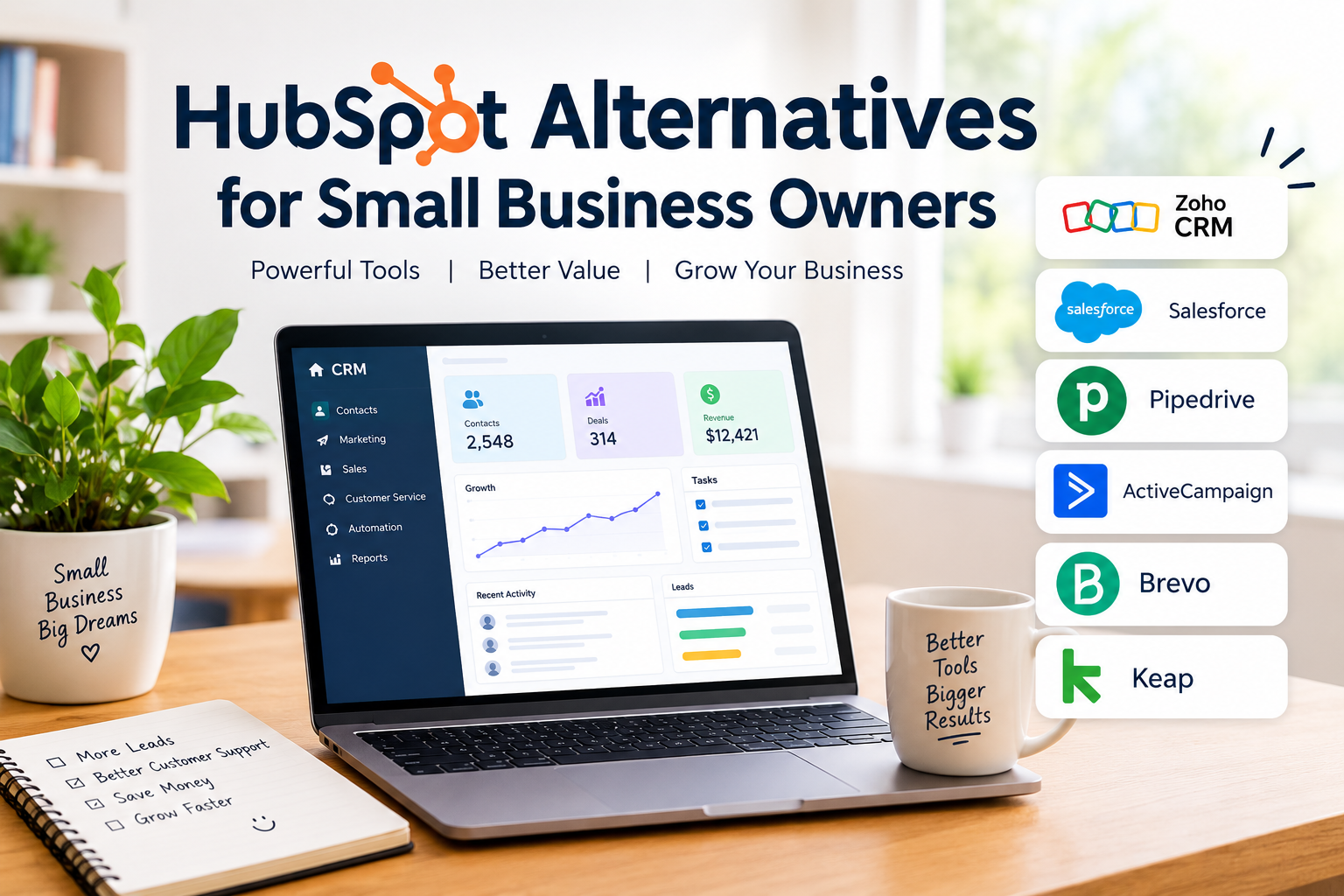
Running a small business requires managing customers, following up with leads, organizing sales activities, and keeping marketing efforts on track. When these tasks are handled manually, it becomes difficult to stay organized, especially as the business grows. This is where customer relationship management software, commonly known as CRM, becomes useful.
HubSpot is a popular platform that offers tools for marketing, sales, customer service, and contact management. However, it may not be the right choice for every small business owner. Some businesses need a simpler CRM, while others are looking for affordable pricing, better automation, or features that match their daily operations.
In my view, choosing CRM software should not be about selecting the platform with the most features. It should be about finding a solution that saves time, improves customer communication, and fits your budget.
In this guide, I will discuss some of the most useful HubSpot alternatives for small business owners, including their features, benefits, limitations, and the types of businesses they may suit.
Why Small Business Owners Look for HubSpot Alternatives
HubSpot provides a broad collection of business tools, but its complete feature set may be more than a small company needs. As businesses expand, advanced features, additional users, and higher service requirements can affect the overall cost.
Here are some common reasons business owners explore alternatives.
1. Budget Limitations
Small businesses often operate with limited budgets. Paying for features that are rarely used may not be practical. An alternative CRM with flexible pricing can help control monthly expenses.
2. Simpler User Experience
Not every business needs a complicated dashboard. Freelancers, consultants, and small agencies may prefer software that allows them to manage contacts and sales opportunities without a long learning process.
3. Specific Business Requirements
Some companies focus mainly on email marketing, while others need sales pipeline management or automated customer follow ups. A specialized platform may provide a better fit for these particular workflows.
4. Flexible Integrations
Small businesses frequently use accounting software, email platforms, project management applications, and communication tools. CRM software that connects with existing applications can reduce repetitive work.
7 Best HubSpot Alternatives for Small Business Owners
The following platforms offer different approaches to customer management. Their suitability depends on your business size, budget, workflow, and technical requirements.
1. Zoho CRM
Zoho CRM is a customer relationship management platform designed to help businesses organize customer information, track sales activities, and automate routine processes.
For small business owners, one of its main attractions is the availability of different features and plans that can support businesses as they develop.
Key Features
- Contact and lead management
- Sales pipeline tracking
- Workflow automation
- Email integration
- Sales reporting and analytics
- Integration with other Zoho applications
Why Consider Zoho CRM?
I consider Zoho CRM a practical option for businesses that want more control over their sales processes. It allows teams to track customer interactions and organize opportunities in a structured way.
For example, a small marketing agency can use Zoho CRM to maintain client records, monitor potential projects, and schedule follow up activities.
However, some advanced features may require time to configure. Beginners should start with essential functions before introducing complex automation.
Suitable for: Small businesses, service providers, consultants, and growing sales teams.
2. Pipedrive
Pipedrive is a sales focused CRM that helps businesses manage deals and understand where each opportunity stands in the sales process.
Unlike platforms that combine numerous business functions, Pipedrive emphasizes visual sales pipeline management.
Key Features
- Visual sales pipelines
- Contact management
- Deal tracking
- Sales activity reminders
- Workflow automation
- Performance reporting
Why Consider Pipedrive?
One thing I like about a sales focused CRM is that it makes daily work easier to understand. Instead of searching through spreadsheets, business owners can view their deals and identify which customers require attention.
A small consulting business, for instance, can create stages such as New Lead, Contacted, Proposal Sent, and Closed.
This structure helps prevent potential customers from being forgotten.
Pipedrive is primarily focused on sales, so businesses requiring extensive marketing functionality may need additional applications.
Suitable for: Consultants, sales professionals, small agencies, and businesses with active sales pipelines.
3. Freshsales
Freshsales is part of the Freshworks business software ecosystem. It provides tools for managing leads, customer information, sales activities, and communication.
For small companies that want sales management combined with automation, it is worth exploring.
Key Features
- Lead and contact management
- Sales pipeline organization
- Email and communication tools
- Workflow automation
- Sales activity tracking
- Reporting features
Why Consider Freshsales?
In my opinion, Freshsales can be useful for businesses that receive inquiries from multiple sources and need a consistent follow up process.
Imagine running a small software company where customers contact you through your website, email, and other channels. A centralized CRM can help your team maintain customer records and track conversations.
Its available features depend on the selected plan, so it is important to review the current pricing and functionality before subscribing.
Suitable for: Small sales teams, technology companies, and service based businesses.
4. Brevo
Brevo is particularly relevant for businesses that prioritize email marketing and customer communication.
It combines marketing tools with contact management and automation features, making it an option for companies that want to manage campaigns and customer relationships from one platform.
Key Features
- Email marketing campaigns
- Marketing automation
- Contact management
- Customer segmentation
- Transactional email
- Messaging and communication features
Why Consider Brevo?
Not every small business needs a complicated sales CRM. Sometimes the main requirement is sending newsletters, welcoming new subscribers, and maintaining regular communication with customers.
For example, an online store can use email campaigns to announce new products, share useful information, and reconnect with previous customers.
Brevo offers a different approach from a traditional sales focused CRM. Businesses with complex deal management requirements should evaluate whether its sales features meet their needs.
Suitable for: Online stores, startups, small service businesses, and email marketing focused companies.
5. ActiveCampaign
ActiveCampaign is a customer experience automation platform with capabilities covering email marketing, automation, and customer management.
It is worth considering when a business wants to create personalized communication based on customer behavior.
Key Features
- Email marketing automation
- Customer segmentation
- Automated workflows
- Contact management
- Sales automation
- Campaign performance tracking
Why Consider ActiveCampaign?
I believe automation becomes especially valuable when a business starts receiving more customer inquiries than it can comfortably manage manually.
For example, a training company can create an automated email sequence for people who register for a course. Customers can receive useful information, reminders, and follow up messages according to the configured workflow.
The platform provides extensive automation capabilities, but beginners may need some time to understand its setup.
Suitable for: Online educators, digital businesses, marketing agencies, and companies with email driven sales processes.
6. Salesforce Starter
Salesforce is widely recognized for its customer relationship management products. Its Starter offering provides smaller businesses with access to customer management and related business capabilities.
Key Features
- Customer and contact management
- Lead tracking
- Sales opportunity management
- Business reporting
- Marketing capabilities
- Integration options
Why Consider Salesforce Starter?
Salesforce may be relevant for a small business that expects its sales operations to become more structured over time.
For instance, a growing B2B company may need to track different customer accounts, sales opportunities, and team activities.
However, small businesses should evaluate the learning requirements and total subscription cost carefully. A large feature set is not automatically beneficial if the team only needs basic contact management.
Suitable for: Growing companies, B2B businesses, and teams planning to expand their sales operations.
7. Keap
Keap combines customer management, marketing automation, and business process tools. It is designed with small businesses and service providers in mind.
Key Features
- Contact management
- Email marketing
- Sales automation
- Appointment scheduling
- Customer follow up workflows
- Payment and business process features
Why Consider Keap?
For service based businesses, managing inquiries, appointments, and follow ups can take a considerable amount of time.
Keap offers tools that can help organize these activities.
For example, a coaching business can manage prospective customers, schedule appointments, and create automated follow up messages.
However, businesses should compare its subscription costs and available features against their actual requirements before making a decision.
Suitable for: Coaches, consultants, service providers, and small businesses that want integrated automation.
HubSpot Alternatives Comparison Table
| CRM Software | Main Strength | Suitable Business |
|---|---|---|
| Zoho CRM | Flexible CRM functionality | Small and growing companies |
| Pipedrive | Visual sales pipeline | Sales focused businesses |
| Freshsales | Lead and sales management | Small sales teams |
| Brevo | Email marketing | Online businesses |
| ActiveCampaign | Marketing automation | Digital businesses |
| Salesforce Starter | Customer and sales management | Growing B2B companies |
| Keap | Business automation | Consultants and service providers |
This comparison is intended as a general overview rather than a ranking. Features, pricing, and plan availability can change, so always review the official product information.
How to Choose the Right HubSpot Alternative
Selecting CRM software becomes easier when you understand what your business actually needs.
Identify Your Main Business Goal
Start by identifying the biggest problem you want to solve.
If your main challenge is tracking sales opportunities, consider a sales focused CRM. If email campaigns are your priority, explore platforms with strong marketing automation capabilities.
Avoid paying for advanced features simply because they are available.
Compare Total Pricing
The monthly subscription is only one part of the cost. Consider additional users, premium features, contact limits, integrations, and possible onboarding expenses.
A tool that initially appears affordable may become more expensive as your business grows.
Check Ease of Use
A CRM should make your daily activities easier. If your team struggles to understand the interface, adoption may become a problem.
Before purchasing, explore free trials or available demonstrations.
Review Integrations
Check whether the CRM works with your existing email provider, website, accounting software, and other essential applications.
Good integrations can reduce manual data entry and improve productivity.
Think About Future Growth
Your business may have different requirements six months from now. Choose a platform that can support your expected growth without forcing you to change systems too quickly.
Common Mistakes to Avoid When Switching CRM Software
Moving from HubSpot to another CRM requires planning. A few common mistakes can create unnecessary complications.
Ignoring data migration: Customer records, notes, and sales information should be reviewed before transferring them.
Choosing based only on price: Low subscription costs do not always mean better long term value.
Overcomplicating automation: Start with simple workflows and expand them when necessary.
Skipping team training: Employees should understand how to update customer records and manage sales activities.
Failing to test integrations: Confirm that essential applications work correctly before fully moving your business operations.
Final Thoughts
Finding the right HubSpot alternatives for small business owners depends on your priorities, budget, and daily workflow.
Zoho CRM and Freshsales provide customer and sales management capabilities. Pipedrive focuses on organizing sales opportunities. Brevo and ActiveCampaign offer tools for email marketing and automation, while Salesforce Starter and Keap address different customer management and business process requirements.
My personal approach would be to identify three essential CRM features, compare a few platforms, and test the most relevant options before making a commitment.
Remember, the purpose of CRM software is not simply to store customer information. It should help your business build stronger relationships, maintain consistent communication, and manage growth with greater confidence.
The right software is the one your team can use consistently while delivering real value to your customers.