When I first heard the term SaaS, I thought it was just another technical word used by software companies. After learning more about it, I realized that SaaS is actually something most of us use almost every day. From email and online storage to project management and accounting tools, many of the services we use on the internet work through the SaaS model.
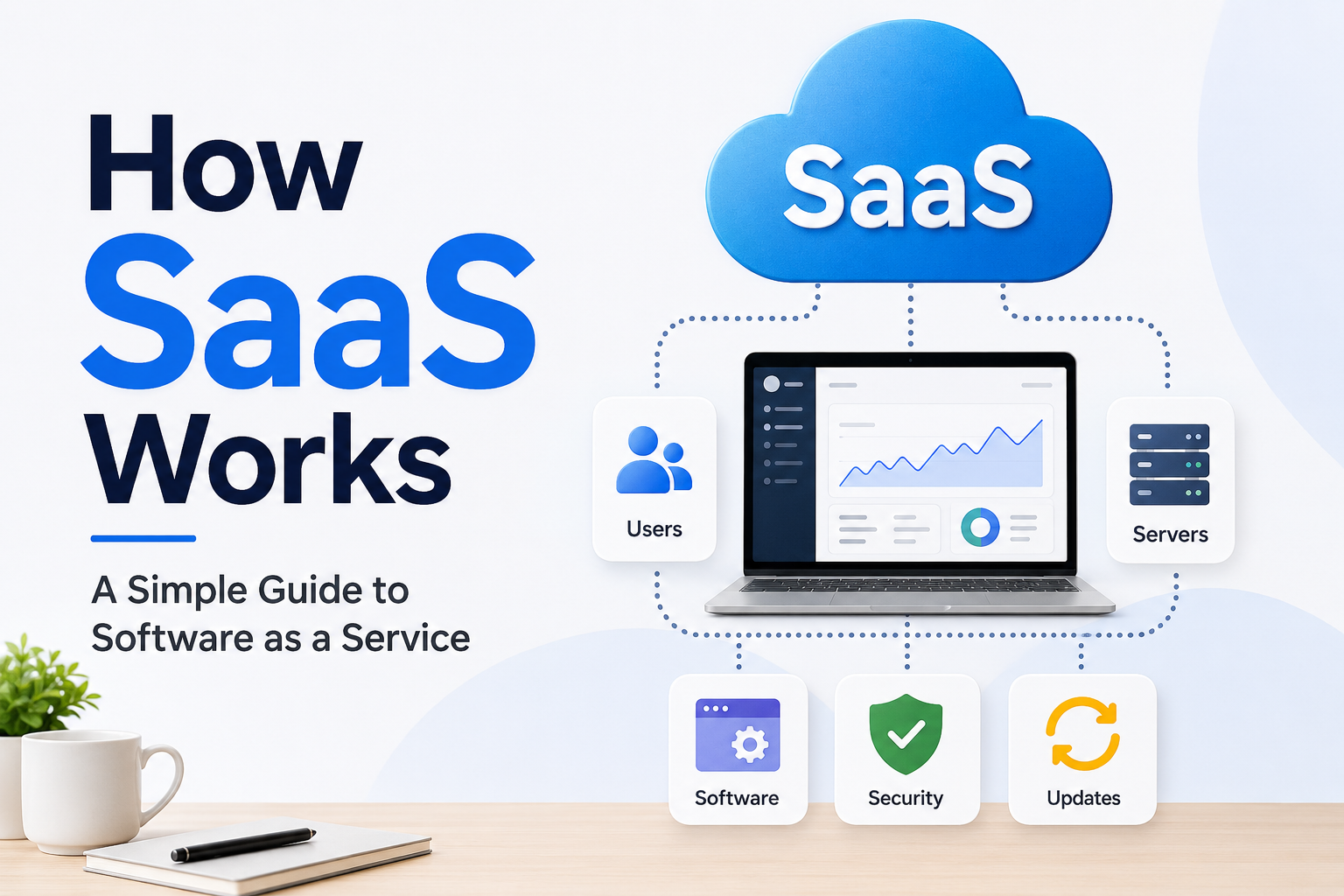
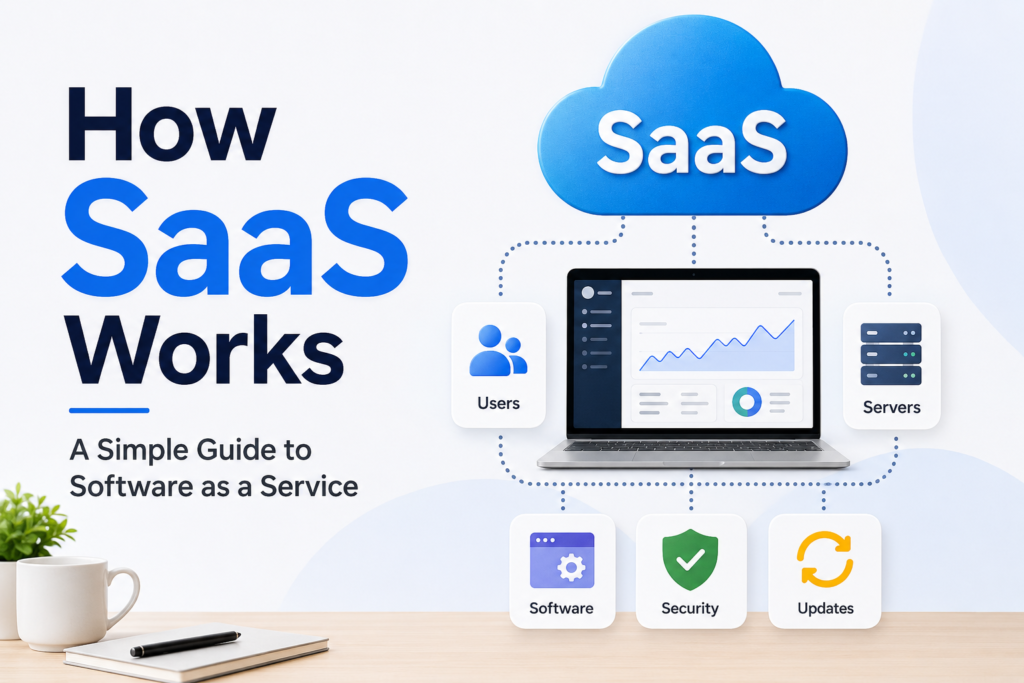
SaaS stands for Software as a Service. Instead of buying software, installing it on a computer, and managing everything yourself, you access the software through the internet. The company behind the software manages the servers, updates, security, maintenance, and many other technical tasks.
In my opinion, the biggest reason SaaS has become so popular is convenience. You do not need to worry about installing complicated software or maintaining expensive hardware. You simply create an account, choose a plan, and start using the service.
What Is SaaS?
SaaS is a way of delivering software over the internet. The software is hosted on servers that are managed by a SaaS provider. Users normally access the software through a web browser or a mobile application.
For example, if you use an online document editor, you may not have the complete software installed on your computer. Instead, the software runs on the provider’s servers, while you interact with it through your browser.
The same basic idea is used by many popular online services. Email platforms, cloud storage services, customer relationship management systems, accounting platforms, design applications, and communication tools can all use the SaaS model.
What I like about SaaS is that the user does not have to understand all the technical work happening behind the scenes. The provider handles most of it.
How Does SaaS Actually Work?
The basic process behind SaaS is easier to understand than it may seem.
First, a company develops a software application. Instead of selling a copy of that software for users to install individually, the company hosts the application on its own servers or through cloud infrastructure.
When you want to use the software, you visit its website or open its application. You normally log in using your email address and password.
After authentication, the SaaS platform connects your account with the software and its database. You can then access the features available under your subscription.
For example, imagine that I use an online project management platform. I create an account and add my projects, tasks, deadlines, and team members. All of this information is stored online. When I log in from another computer, I can see the same information because it is connected to my online account.
This is one of the main differences between traditional software and SaaS.
SaaS Uses Cloud Technology
Cloud technology is an important part of modern SaaS. Instead of storing everything on one user’s computer, SaaS companies usually use cloud servers to host their applications and data.
This allows users to access their information from different devices.
Suppose I start working on a project using my laptop. Later, I want to check the same project from my phone. With a SaaS application, I can usually log in and continue from where I stopped.
The cloud also gives SaaS companies the ability to serve many customers at the same time. The provider can use powerful infrastructure to manage large amounts of data and user activity.
From my point of view, this is one of the most useful aspects of SaaS because it makes software much more flexible.
How SaaS Subscriptions Work
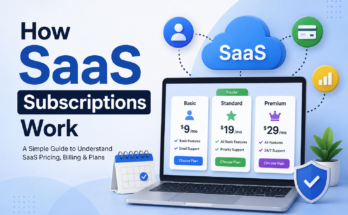
Most SaaS companies use a subscription model. Instead of paying one large amount to buy software permanently, customers pay monthly or yearly.
Some services provide different plans based on the user’s needs.
A basic plan may include limited features, while a premium plan may provide additional storage, advanced tools, better support, or more users.
Some SaaS companies also provide free plans. These plans usually offer basic features and encourage users to upgrade when they need more functionality.
I think the subscription model is helpful for businesses because they can start small. They do not necessarily need to spend a large amount of money at the beginning.
At the same time, users need to understand that subscriptions can become expensive over time. Before choosing a SaaS product, I always think about whether I will actually use its features regularly.
SaaS and Automatic Updates
One thing I really appreciate about SaaS is automatic software updates.
With traditional software, users sometimes need to download and install new versions manually. This can become frustrating, especially when software requires frequent updates.
With SaaS, the provider usually manages updates on the server side. When the company improves the software, users can generally access the new version automatically.
This means everyone can work with a more recent version without having to install anything.
Updates can include new features, performance improvements, security fixes, and changes to the user interface.
For businesses, this can save a lot of time because employees do not have to manage software updates individually.
How SaaS Stores User Data
Data storage is another important part of how SaaS works.
When you create information inside a SaaS platform, that information is normally stored in databases managed by the service provider.
For example, if I use an online accounting platform, my invoices, customer information, reports, and other records may be stored in the platform’s database.
The application communicates with the database whenever I create, update, or view information.
SaaS companies generally use security measures to protect customer data. These can include encryption, access controls, authentication systems, backups, and monitoring.
However, I believe users should never assume that an online service is automatically risk free. It is still important to use strong passwords, enable two factor authentication when available, and understand the provider’s security and privacy policies.
What Happens When Many People Use SaaS?
A successful SaaS application may have thousands or even millions of users.
To handle this demand, SaaS companies use scalable cloud infrastructure. Resources can be increased when traffic grows.
For example, if a business suddenly gets many new customers, the provider may increase computing resources to handle the additional workload.
This is one reason SaaS is attractive to growing businesses. The company does not necessarily need to build its own data center from the beginning.
Modern cloud infrastructure allows SaaS providers to scale their services according to demand.
Multi Tenant Architecture
Many SaaS platforms use something called multi tenant architecture.
The basic idea is that one software application can serve many customers while keeping their data and accounts separated.
Think of it like an apartment building. Many people live in the same building, but each person has their own private apartment.
Similarly, multiple SaaS customers may use the same underlying application and infrastructure, while their accounts and information remain logically separated.
This approach can help SaaS providers reduce costs and maintain their platforms more efficiently.
Not every SaaS product uses exactly the same architecture, but multi tenant systems are common in the industry.
Why Businesses Use SaaS
There are many reasons businesses choose SaaS products.
The first is lower upfront cost. A company may not need to purchase expensive servers or software licenses.
The second is flexibility. Employees can often access SaaS applications from different locations and devices.
The third is scalability. Businesses can often add or remove users as their needs change.
The fourth is easier maintenance. The SaaS provider handles much of the technical maintenance.
Another major advantage is speed. A business can often sign up for a SaaS service and start using it within a short period of time.
In my opinion, this is particularly useful for small businesses and startups that want to move quickly without building a large technology department.
What Are the Disadvantages of SaaS?
SaaS has many benefits, but it is not perfect.
One disadvantage is that you normally depend on an internet connection. If your internet connection is unavailable, access to the service may be limited.
Another concern is data privacy. When you use SaaS, your information is stored and processed by another company. This means you need to trust the provider.
There is also the issue of subscription costs. A service that seems inexpensive each month can become a significant expense over several years.
Another possible problem is vendor dependency. If you build your entire workflow around one platform, moving to another service may be difficult.
For these reasons, I think businesses should carefully evaluate SaaS providers before making long term decisions.
SaaS Security
Security is one of the most important parts of SaaS.
A SaaS provider needs to protect its infrastructure, applications, databases, and customer accounts. Security can involve encryption, authentication, monitoring, backups, vulnerability management, and access controls.
Users also have responsibilities.
I believe simple security habits can make a big difference. Using unique passwords, enabling two factor authentication, avoiding suspicious links, and controlling account permissions are good practices.
Businesses should also think about who has access to sensitive information. Not every employee needs access to every part of a SaaS platform.
SaaS Compared With Traditional Software
Traditional software is often installed directly on a computer or company server. The user or organization may be responsible for updates, maintenance, backups, and infrastructure.
SaaS moves much of this responsibility to the service provider.
This does not mean traditional software is useless. There are still situations where locally installed or self hosted software makes sense.
However, SaaS has changed the way many people think about software. Instead of thinking about software as something we purchase and install, we increasingly think about it as a service we access whenever we need it.
The Future of SaaS
I believe SaaS will continue to play a major role in the technology industry.
Artificial intelligence is already becoming part of many SaaS applications. Tools for writing, design, customer support, analytics, marketing, development, and productivity are adding intelligent features.
I also expect SaaS platforms to become more connected. Instead of using completely separate applications, businesses will increasingly connect different services so information can move between them automatically.
This can reduce repetitive work and help teams become more productive.
Final Thoughts
SaaS may sound like a complicated technology concept, but the basic idea is simple. Software is hosted by a provider and delivered to users through the internet.
The provider manages servers, updates, maintenance, security, and infrastructure, while users access the software through their accounts.
From my point of view, SaaS has made software easier to access and much more flexible. A small business can use powerful tools without building its own technology infrastructure, while individuals can access useful applications from almost anywhere.
At the same time, I think users should look beyond convenience. Pricing, privacy, security, reliability, support, and data ownership are all important factors when choosing a SaaS service.
Once you understand how SaaS works, you start to notice it everywhere. Many of the online tools we use every day are built around this simple but powerful idea of delivering software as a service.