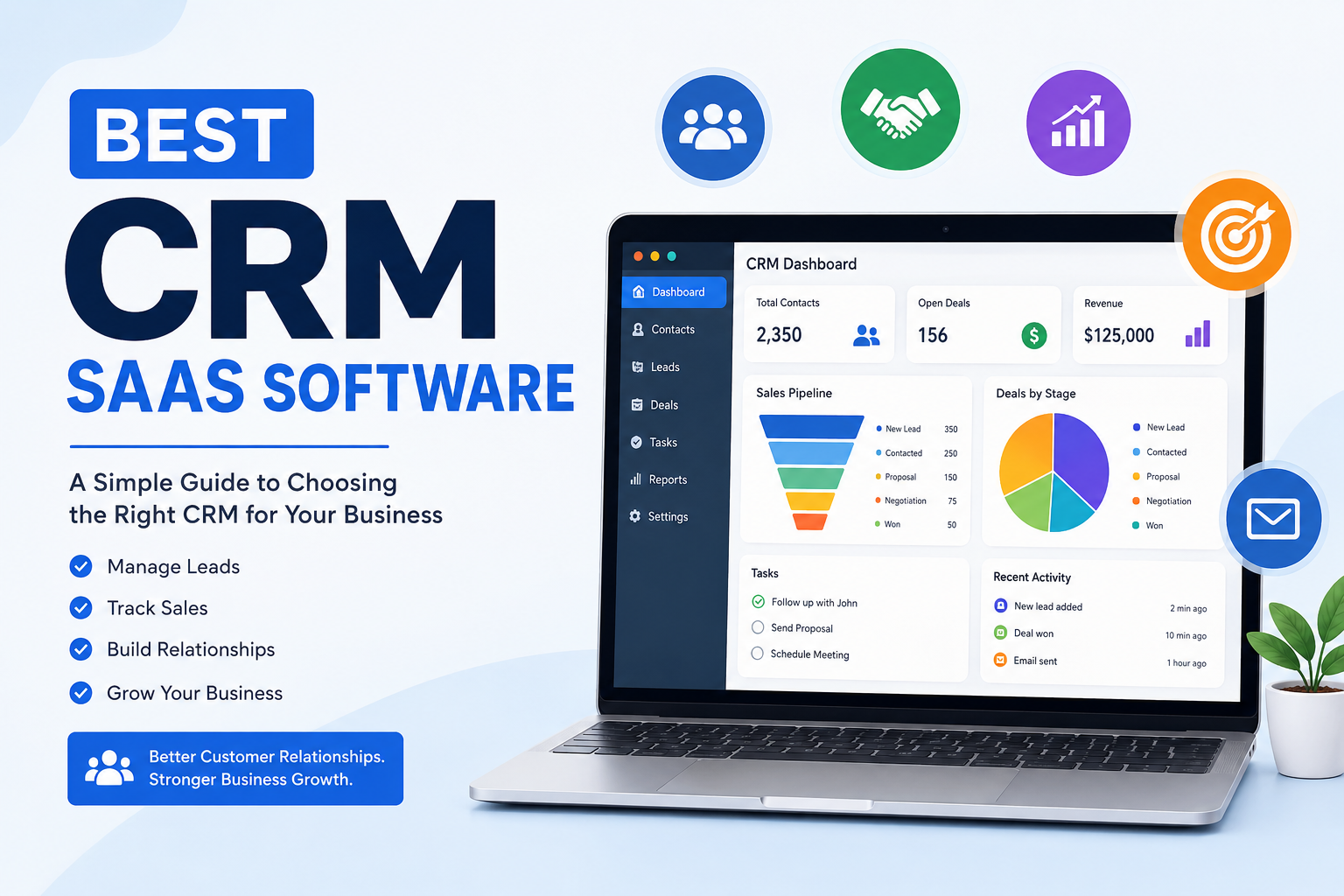
When a business starts growing, managing customers with spreadsheets, notebooks, emails, and different apps can quickly become confusing. I believe this is where CRM SaaS software becomes extremely useful. A good CRM can help a business keep customer information organized, manage leads, follow sales opportunities, and build better relationships with customers.
CRM stands for Customer Relationship Management. In simple words, CRM software gives a business one central place where customer information and interactions can be managed. Modern CRM platforms can also help with sales, marketing, customer service, automation, reporting, and communication.
There are many CRM SaaS platforms available today, and choosing one is not always easy. Some are designed for small businesses, while others are better for large companies with complicated sales processes. In this article, I will discuss some of the best CRM SaaS software and explain what makes each platform useful.
What Is CRM SaaS Software?
Before looking at different CRM platforms, I think it is important to understand what CRM SaaS actually means.
SaaS stands for Software as a Service. Instead of installing CRM software on your own computer or company server, you normally access it through the internet. The CRM provider manages the software, updates, infrastructure, and many technical aspects behind the service.
This makes SaaS CRM software convenient for businesses because employees can usually access their customer information from different locations and devices.
For example, a sales employee can check a customer record, update a deal, add notes, or schedule a follow up without needing to be sitting in the office.
For me, one of the biggest advantages of SaaS CRM software is convenience. A business does not need to build everything from the beginning. It can subscribe to a platform, create user accounts, import customer information, and start using the system.
1. HubSpot CRM
HubSpot is one of the CRM platforms I would consider first, especially for small businesses and growing companies.
HubSpot provides tools for managing contacts, leads, deals, sales activities, marketing, and customer service. It also offers a free CRM option, which can be useful for businesses that want to start without making a large investment.
One thing I like about HubSpot is that it can bring different parts of a business together. Instead of keeping marketing information in one place and sales information somewhere else, businesses can connect many activities through the same ecosystem.
HubSpot is also focusing heavily on artificial intelligence and automation. Current CRM offerings include AI powered tools and features designed to help businesses manage customer information and sales activities more efficiently.
In my opinion, HubSpot is a strong choice for startups, agencies, online businesses, and companies that want sales and marketing tools together.
2. Salesforce
Salesforce is one of the biggest names in the CRM industry.
What makes Salesforce different is the amount of customization and functionality it provides. It is especially popular with medium sized businesses and large enterprises that have complex sales processes and many departments.
Salesforce can be used to manage leads, opportunities, customer relationships, sales activities, service operations, reporting, and many other business processes. Its ecosystem also provides businesses with many ways to extend the platform.
I think Salesforce is powerful, but it may not be the best option for every small business. A company with a simple sales process might find the platform more complicated than necessary.
For a large organization with experienced staff and complicated workflows, however, Salesforce can be a very powerful CRM solution. Salesforce describes its platform as a system for selling, servicing, marketing, analyzing, and connecting with customers.
3. Zoho CRM
Zoho CRM is another platform I would recommend to businesses that want many features without immediately moving toward an expensive enterprise solution.
Zoho CRM provides tools for lead management, contact management, sales pipelines, automation, reporting, and communication. It also works closely with other Zoho applications, which can be useful if a business already uses the Zoho ecosystem.
One feature that stands out is Zia, Zoho’s AI assistant. It can help with data analysis, predictions, and other CRM related tasks. Zoho has also invested heavily in automation and AI capabilities.
I see Zoho CRM as a good middle ground. It can work for small and medium sized businesses while still offering features that can support a growing company.
4. Pipedrive
Pipedrive is a CRM that I particularly like for businesses that want to focus strongly on sales.
Pipedrive is built around the sales pipeline. This makes it easier for sales teams to see where each deal currently stands. A salesperson can move opportunities through different stages and keep track of activities that need attention.
The platform also provides reporting, integrations, automation, and sales related tools.
In my opinion, the biggest advantage of Pipedrive is simplicity. Some CRM systems can feel overwhelming because they offer so many features. Pipedrive takes a more sales focused approach.
I would consider Pipedrive for freelancers, agencies, consultants, and small sales teams that mainly need an organized way to manage leads and deals.
5. Monday Sales CRM
monday.com is also worth considering if a business wants a CRM that feels flexible and visual.
Monday Sales CRM can be useful for teams that want to customize their workflows. Instead of forcing every company to manage customers in exactly the same way, the platform provides flexibility for creating processes that fit different business needs.
I think this can be especially useful for teams that already use monday.com for project management or other business tasks.
For companies that prefer visual dashboards and customizable workflows, Monday Sales CRM can be an interesting option.
What Features Should a Good CRM Have?
When I compare CRM SaaS software, I do not think the platform with the largest number of features is automatically the best one.
The first thing I look at is contact management. A CRM should make it easy to store names, emails, phone numbers, company information, notes, and customer history.
The second important feature is lead management. Businesses need to know which people are potential customers and which leads require follow up.
Sales pipeline management is also important. A good CRM should allow a sales team to see opportunities clearly and understand which deals are close to completion.
Automation is another feature I consider very important. CRM automation can reduce repetitive work such as creating reminders, updating records, sending certain emails, and assigning tasks.
Reporting is also useful because business owners need to understand what is happening with their sales. Reports can help show sales performance, conversion rates, pipeline value, and other important information.
Integrations are important as well. Most businesses already use email, calendars, accounting software, marketing tools, communication apps, and other services. A CRM becomes more useful when it can connect with these tools.
Why Businesses Should Use CRM SaaS Software
The biggest reason I would recommend CRM software is organization.
Without a CRM, customer information can become scattered across spreadsheets, emails, messaging apps, and personal notes. This can create problems when someone leaves the company or another employee needs access to customer information.
A CRM creates a central location for customer data.
Another major benefit is better follow up. Sales teams can see which leads need attention and which customers have not been contacted recently.
CRM software can also improve teamwork. When information is stored in one system, different employees can understand what has already happened with a customer.
Automation can save time as well. Instead of doing every small task manually, businesses can create automated processes for repetitive activities.
Which CRM Is Best for Small Businesses?
For a small business, I would not recommend choosing software simply because it has hundreds of features.
I would first look at ease of use, price, essential features, and the ability to grow.
HubSpot is a strong option for businesses that want an accessible starting point and broader sales and marketing capabilities.
Pipedrive is attractive for businesses that mainly care about sales pipeline management and simplicity.
Zoho CRM can be a good choice for companies that want a broad collection of business tools and flexible CRM features.
Salesforce can be considered when a small company is growing rapidly and expects to need advanced customization, although it may be more than a small team needs at the beginning.
How I Would Choose the Right CRM
If I were choosing CRM software for my own business, I would start by writing down exactly what I need.
I would ask myself how many people will use the CRM, how many customers we manage, what sales process we follow, which tools we already use, and how much we can spend each month.
I would also test the interface before making a decision. A CRM can have excellent features, but if employees do not enjoy using it, the software will not provide much value.
I would also look at scalability. A CRM should not only solve today’s problem. Ideally, it should continue to be useful as the business grows.
Finally, I would check the available integrations and automation options. These can make a big difference when a business starts handling more customers and sales opportunities.
Final Thoughts
In my opinion, there is no single CRM SaaS software that is perfect for every business.
HubSpot is a strong all around option for businesses that want sales, marketing, service, and CRM capabilities together. Salesforce is better suited to organizations that need deep customization and advanced enterprise capabilities. Zoho CRM provides a broad feature set and can be attractive for businesses that care about value and flexibility. Pipedrive is excellent for teams that want a simple and sales focused CRM.
The best CRM is ultimately the one that matches the way your business actually works.
I would recommend starting with your business requirements instead of starting with the software name. Think about your customers, sales process, team size, budget, and future growth. Once you understand those things, choosing a CRM becomes much easier.
CRM software should not make business more complicated. For me, its main purpose is to make customer management more organized, save time, improve follow ups, and help a business build stronger customer relationships.
That is why I believe choosing a simple and suitable CRM is often better than choosing the most complicated platform available.