When I think about running a small company, one thing that stands out to me is how difficult it can be to manage everything with limited time, money, and people. A small team often has to handle marketing, customer support, sales, accounting, communication, project management, and many other responsibilities at the same time.
This is where SaaS tools can make a real difference.
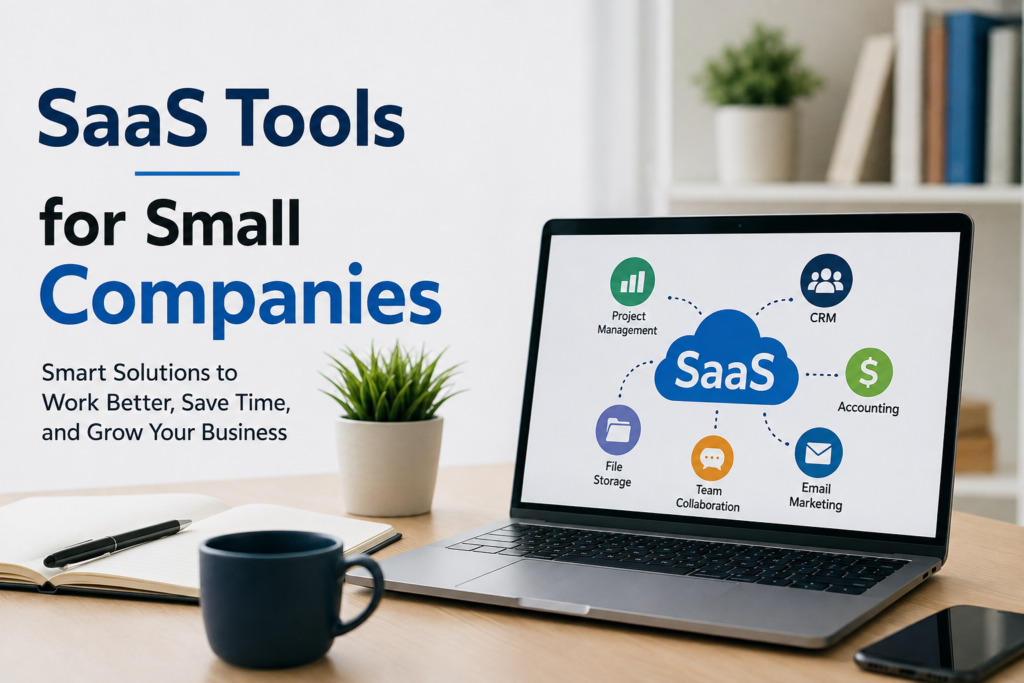
SaaS stands for Software as a Service. Instead of buying software, installing it on a computer, and managing complicated updates, businesses can usually access SaaS tools through the internet. Most of these services work through a monthly or yearly subscription.
In my opinion, SaaS tools are especially useful for small companies because they allow a small team to use technology without needing a large IT department. The right tools can save time, reduce repetitive work, improve communication, and help a company stay organized.
What Are SaaS Tools?
SaaS tools are online software applications that businesses can use through a web browser or mobile application. The software is generally hosted by the service provider, which means the company does not have to manage the technical infrastructure itself.
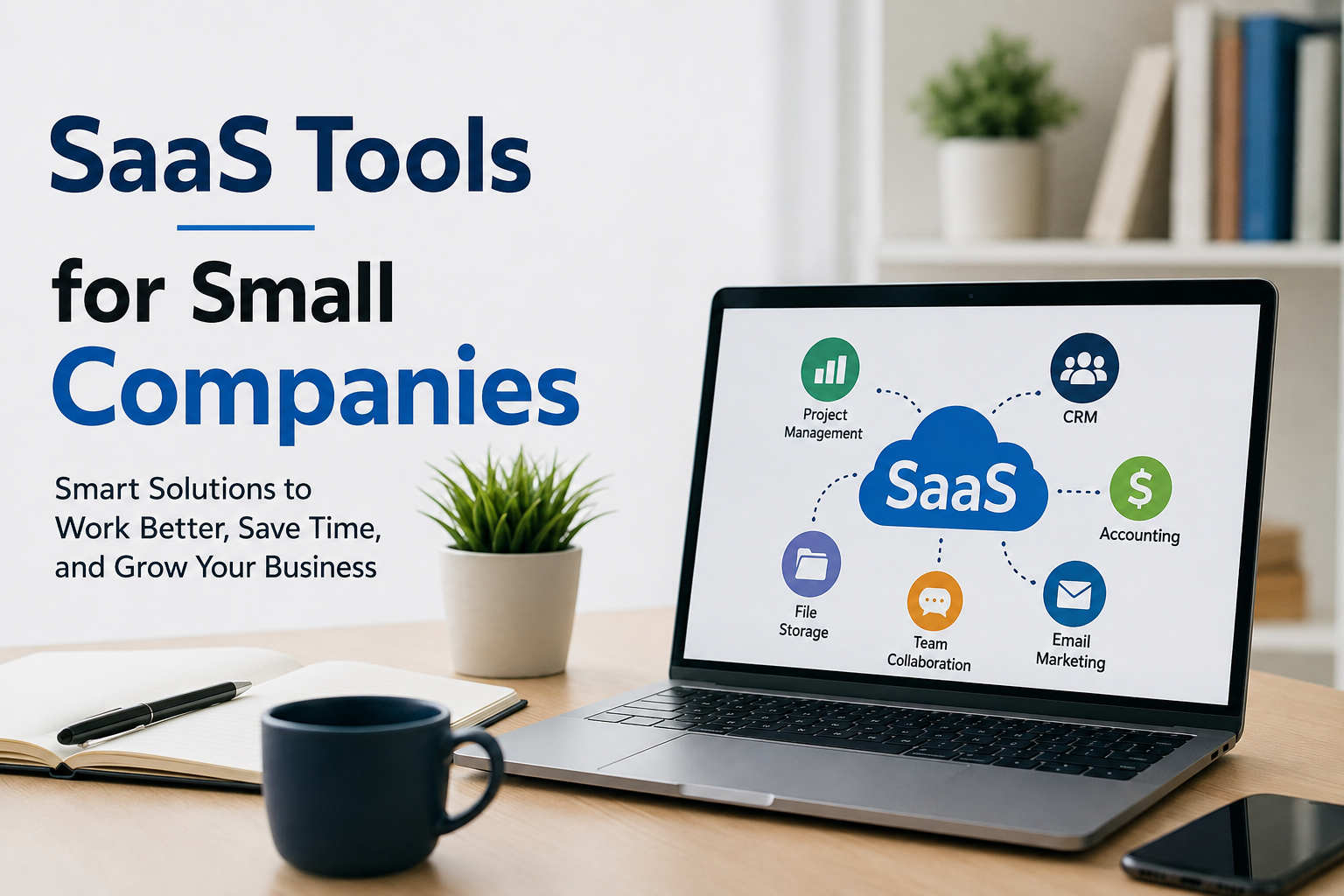
For example, a small company can use an online accounting platform instead of installing accounting software on every computer. Employees can use cloud based project management software to track tasks, while customer relationship management software can help the sales team organize customer information.
What I like about SaaS is its simplicity. A business can usually create an account, choose a plan, and start using the software without a complicated setup.
Why Small Companies Need SaaS Tools
Small companies usually operate with limited resources. Hiring a specialist for every business function may not be practical. SaaS tools can help fill some of these gaps.
One major advantage is affordability. Many SaaS providers offer different pricing plans, including affordable options for smaller teams. This allows a business to start with basic features and upgrade when its needs grow.
Another advantage is accessibility. Since most SaaS applications work online, employees can often access them from different locations and devices. This can be particularly helpful for companies that have remote employees or people who travel for work.
SaaS tools can also improve productivity. Instead of spending hours organizing spreadsheets, sending repetitive emails, or searching for customer information, employees can use software designed specifically for these tasks.
From my perspective, the biggest benefit is not simply having more software. It is having tools that remove unnecessary work from the daily routine.
Project Management Tools
Managing projects can become difficult when several people are working on different tasks. A simple project management SaaS tool can help a small company organize this work.
These platforms usually allow teams to create tasks, assign responsibilities, add deadlines, and track progress. Some tools also provide calendars, file sharing, comments, and notifications.
For a small company, this can eliminate confusion about who is responsible for a particular task.
I believe project management software is especially useful when a company starts growing. When there are only two or three people, communication can happen naturally. But as the team becomes larger, relying only on messages and meetings can become difficult.
A project management platform gives everyone a central place where they can see what needs to be done.
Customer Relationship Management Tools
Customer relationships are extremely important for small companies. Losing track of potential customers or forgetting to follow up can result in lost business.
CRM software helps companies organize customer information, sales leads, conversations, and follow up activities in one place.
For example, a sales representative can record when they contacted a potential customer and what the customer was interested in. Another team member can then understand the situation without asking for the entire history.
In my opinion, a CRM becomes more valuable as a company gains more customers. It helps turn customer information into something organized and useful rather than leaving important details inside personal notes or email inboxes.
Accounting and Invoicing Software
Financial management is another area where SaaS tools can help small companies.
Online accounting and invoicing platforms can help businesses create invoices, monitor expenses, organize financial records, and track payments. Some services can also connect with banks or payment platforms.
I think this type of software can save a considerable amount of time. Manually preparing invoices and maintaining financial records can become frustrating, especially when a business has many customers.
Automating simple financial tasks can allow business owners to spend more time focusing on customers and growth.
Of course, software should not replace professional financial advice when a company has complex accounting or tax requirements. However, it can make everyday financial administration much easier.
Communication and Collaboration Tools
Communication is essential for every business, particularly when employees are not always working in the same location.
SaaS communication tools can provide instant messaging, video meetings, file sharing, and team collaboration features. Instead of depending completely on email, employees can communicate through dedicated business platforms.
I personally think these tools work best when companies establish simple communication rules. Without clear organization, too many notifications and messages can become distracting.
A small company should choose a communication platform that keeps conversations organized rather than creating another source of unnecessary noise.
Marketing and Email Tools
Marketing is often challenging for small companies because they may not have a large marketing department.
SaaS marketing tools can help with email campaigns, social media planning, customer communication, landing pages, and analytics.
Email marketing software, for example, can allow a business to send newsletters and promotional messages to customers. Some platforms also provide automation, allowing businesses to send messages based on customer actions.
This can be useful because a small team does not have to manually send every message.
In my view, automation should support a company’s marketing strategy rather than replace genuine communication. Customers can quickly recognize when every message feels completely automated.
File Storage and Document Management
Small companies create many documents. Contracts, presentations, invoices, reports, images, spreadsheets, and other files can quickly become difficult to manage.
Cloud storage SaaS tools can provide a central location for business documents. Team members can access files without constantly sending attachments through email.
Another useful feature is collaboration. Multiple people may be able to work on the same document without creating several different versions.
For a growing company, having an organized file system can save a surprising amount of time.
Human Resources and Employee Management
Even a small company may need tools for managing employees, leave requests, attendance, onboarding, and internal records.
HR SaaS platforms can simplify these processes by keeping employee information in one secure location.
When a company is very small, these tasks may be handled manually. However, as the team grows, spreadsheets and paper records can become harder to maintain.
Using an online system can make routine HR administration more organized and easier to track.
How to Choose the Right SaaS Tools
One mistake I often see businesses make is subscribing to too many tools at once.
Having more software does not automatically mean having a more productive company. In fact, too many platforms can create confusion.
Before choosing a SaaS tool, I would recommend identifying the actual problem first.
Ask yourself what is taking too much time. Is the team struggling with customer follow ups? Are projects difficult to track? Are invoices being forgotten? Is communication scattered across different applications?
Once the problem is clear, look for software that solves that specific issue.
Price is also important. A small company should calculate the actual value of a subscription instead of simply choosing the cheapest option.
Security should also be considered. Business information may include customer details, financial records, and confidential documents. Before trusting a SaaS provider, it is worth reviewing its security practices, privacy policies, backup options, and account protection features.
Avoiding SaaS Overload
One thing I strongly believe is that small companies should keep their technology stack simple.
If employees need to use ten different platforms just to complete basic tasks, productivity can actually decrease.
Whenever possible, I prefer tools that integrate with each other. For example, a CRM that connects with email or an accounting platform that works with payment services can reduce repetitive work.
It is also useful to regularly review subscriptions. A company may continue paying for software that nobody uses simply because the subscription was never canceled.
Every few months, business owners should review their SaaS expenses and ask whether each tool is still providing value.
The Future of SaaS for Small Companies
SaaS technology continues to evolve quickly. Artificial intelligence, automation, analytics, and better integrations are becoming common features in many business applications.
For small companies, this could create even more opportunities to compete with larger organizations.
A small team may be able to automate tasks that previously required several employees. It may also be able to analyze customer information more efficiently and provide faster service.
However, I do not think technology should become the main focus of a business. Software is a tool. The real goal should always be improving the customer experience, making better decisions, and building a sustainable company.
Final Thoughts
SaaS tools can be extremely valuable for small companies when they are selected carefully. They can help businesses manage projects, communicate with employees, organize customers, handle finances, improve marketing, and store important documents.
The key is not to subscribe to every popular tool. The better approach is to understand the company’s problems first and then choose software that provides a practical solution.
From my point of view, the best SaaS setup for a small company is simple, affordable, secure, and easy for employees to use. When technology removes repetitive work instead of creating more complexity, it becomes a genuine business advantage.
A small company does not need hundreds of software subscriptions to operate efficiently. It needs the right tools, a clear process, and people who know how to use those tools effectively. That combination can help a small business save time, control costs, serve customers better, and create a stronger foundation for future growth.