Introduction
In today’s digital world, managing daily business tasks manually can take more time than we realize. Whether you are a freelancer, small business owner, content creator, or part of a growing team, repetitive work can slow down your productivity. Tasks such as sending emails, updating spreadsheets, collecting customer information, managing leads, and organizing projects may seem small individually, but together they can consume several hours every week.
This is where workflow automation becomes useful. Instead of performing the same actions repeatedly, automation software allows different applications to communicate and complete tasks automatically.
One of the most recognized platforms in this category is Zapier. It helps users connect applications and create automated workflows without requiring advanced programming knowledge. However, Zapier is not the only option available.
Several Zapier alternatives for simple workflow automation offer different features, pricing structures, integrations, and customization options. Some are suitable for beginners, while others provide more flexibility for businesses with complex requirements.
In this article, I will discuss some popular Zapier alternatives, their features, benefits, limitations, and the situations where they may be useful. My goal is to help readers understand which automation platform fits their workflow without paying for unnecessary features.
Why Look for Zapier Alternatives?
Zapier is a useful automation platform, but different users have different requirements. A freelancer who only wants to connect a contact form with Google Sheets may not need the same tools as a marketing agency managing multiple client workflows.
There are several reasons why people explore alternatives to Zapier.
Pricing and Usage Limits
Automation platforms often organize their plans around task limits, workflow features, and the number of connected applications. As automation usage increases, the cost may also increase.
For startups and small businesses operating with limited budgets, affordable workflow automation software can make a meaningful difference.
More Customization
Some users need advanced conditions, branching logic, data transformation, or multi step workflows. Depending on the use case, another platform may offer a workflow structure that feels easier to manage.
Specific Integration Requirements
Not every automation tool supports the same applications or actions. Before selecting a platform, it is important to check whether it connects with the software already used in your business.
Simpler Workflow Management
Some people prefer visual workflow builders where they can understand the complete process at a glance. Others want a straightforward interface that requires minimal configuration.
The right Zapier alternative depends on the type of automation you want to create.
Best Zapier Alternatives for Simple Workflow Automation
1. Make

Make, previously known as Integromat, is a visual automation platform designed to connect applications and build workflows.
One thing I find useful about Make is its visual approach. Instead of viewing automation as a simple list of actions, users can see how different steps connect with each other.
This can be helpful when building workflows that involve multiple applications.
For example, an online store could receive a new order, add customer details to a spreadsheet, send a notification to a team member, and update another application.
Key features include:
- Visual workflow builder
- Multi step automation
- Filters and conditional logic
- Data transformation tools
- Integration with numerous applications
Make can be suitable for freelancers, marketers, and small businesses that want more control over their workflows.
However, beginners may need some time to understand its interface, especially when creating complicated scenarios.
Official website:
Make Automation
2. IFTTT

IFTTT stands for If This Then That. It is a popular automation service focused on connecting applications, online services, and compatible smart devices.
Its basic concept is easy to understand. When one event happens, another action is triggered automatically.
For example, you could create an automation that saves certain online content to a preferred service or sends a notification when a supported event occurs.
I consider IFTTT particularly interesting for people who want to automate simple personal tasks without spending too much time configuring workflows.
Key features include:
- Simple automation recipes called Applets
- Connections between supported services
- Personal productivity automation
- Smart home integrations
- Beginner friendly setup
IFTTT may not provide the advanced workflow control needed for every business process, but it can be useful for basic automation.
Official website:
IFTTT Official Website
3. Pabbly Connect
![Pabbly vs. Zapier: Which is best? [2026]](https://images.openai.com/static-rsc-4/_JukAvK6NsPfa0bu3T-FlFh2RCwY0Q0tS7sxPSxJqSMYjd-u9HtgNgZOEA-d767gzMB6uGhP-o1eTCG7yCnV7qn9Lr-R92jOXTvLKQyM9Zd1DcC22kI6bf2go83N7Ai7jK4ur-kkiOj-Dw2h7zdWpeN7lYd4PjefmEbCVqsFlGs?purpose=inline)
Pabbly Connect is another platform worth considering when comparing Zapier alternatives for small businesses.
It allows users to connect supported applications and automate repetitive business activities. The platform focuses on workflow creation without requiring users to build everything through code.
For example, a business could connect a lead generation form to a customer management system and automatically send a notification when a new inquiry arrives.
Key features include:
- Multi step workflows
- Application integrations
- Conditional automation
- Data formatting
- Workflow scheduling options
Pabbly Connect may appeal to businesses that want to compare automation pricing and available task allowances before making a long term commitment.
Before purchasing a plan, I recommend checking the current feature limits and confirming that your required applications are supported.
Official website:
Pabbly Connect
4. n8n

n8n is a workflow automation platform that provides flexibility for users who want more control over how their automations operate.
It supports visual workflow creation and can also accommodate technical users who want to work with APIs, custom logic, and code.
One aspect that makes n8n different is its self hosting option. Users with the necessary technical knowledge can run their own instance, giving them greater control over deployment and infrastructure.
Key features include:
- Visual workflow editor
- Custom code capabilities
- API integrations
- Self hosting options
- Advanced workflow logic
For developers, technical teams, and businesses with specialized automation requirements, n8n can be a practical alternative.
However, users without technical experience may find installation, maintenance, and advanced configuration more challenging than beginner focused platforms.
Official website:
n8n Workflow Automation
5. Microsoft Power Automate

Microsoft Power Automate is a workflow automation solution that helps individuals and organizations automate tasks across supported applications and services.
It can be particularly relevant for businesses already using Microsoft 365 products.
For example, a team could automate approval notifications, organize information from forms, or trigger actions when documents are added to supported locations.
Key features include:
- Automated cloud flows
- Approval workflows
- Microsoft ecosystem integration
- Desktop automation capabilities
- Business process automation
Power Automate can be useful for administrative teams, office workers, and organizations that want to reduce repetitive processes.
Some advanced features and connectors may require additional licensing, so it is worth reviewing the current pricing before implementation.
Official website:
Microsoft Power Automate
6. Workato

Workato is an automation and integration platform designed primarily for business processes that involve multiple systems.
It supports workflow automation across different departments, including sales, finance, operations, and human resources.
For example, an organization may use automation to synchronize customer records between business applications or coordinate processes that involve several teams.
Key features include:
- Enterprise workflow automation
- Application integration
- Business process coordination
- Data synchronization
- Automation management
Workato may be more than a beginner needs for a few simple tasks. However, organizations with larger integration requirements may find its capabilities relevant.
Official website:
Workato Official Website
Comparison of Zapier Alternatives
The following table provides a general overview of the platforms discussed above.
| Automation Tool | Main Strength | Suitable For |
|---|---|---|
| Make | Visual workflow building | Freelancers and small teams |
| IFTTT | Simple event based automation | Beginners and personal use |
| Pabbly Connect | Business workflow automation | Small businesses |
| n8n | Flexibility and technical control | Developers and technical teams |
| Microsoft Power Automate | Microsoft ecosystem integration | Office teams and organizations |
| Workato | Business process integration | Larger businesses |
The best platform depends on your application requirements, technical experience, workflow complexity, and budget.
How to Choose the Right Workflow Automation Software
Choosing automation software should not be based only on popularity. I believe it is more useful to start by identifying the tasks that consume the most time in your daily routine.
Understand Your Automation Requirements
First, write down the processes you want to automate.
For example:
- Saving website form submissions to a spreadsheet
- Sending automatic customer confirmation emails
- Creating tasks from new project requests
- Updating customer records
- Sending notifications to team members
Once you understand your requirements, it becomes easier to compare automation platforms.
Check Application Integrations
Before signing up, confirm that your preferred tools are supported.
If your business relies on WordPress, Google Sheets, Gmail, Slack, or a CRM system, check whether the automation platform supports the specific triggers and actions you need.
An integration may exist without supporting every possible action.
Compare Pricing Carefully
Many workflow automation tools offer free plans, trials, or paid subscriptions.
However, pricing can depend on monthly task limits, workflow executions, premium integrations, or advanced features.
Instead of selecting a platform only because it has a free plan, calculate how much automation you expect to use each month.
Consider Ease of Use
A platform with many advanced features is not necessarily the right choice for every user.
If you are new to automation, a simple interface and clear workflow builder may be more valuable than extensive technical customization.
Test With a Small Workflow
I recommend starting with one basic automation before moving your entire business process to a new platform.
For example, connect a contact form to Google Sheets and test whether information is transferred correctly.
This approach helps identify errors before they affect important business activities.
Benefits of Using Zapier Alternatives
Using workflow automation software can provide several practical benefits.
Saves Time
Automating repetitive tasks allows people to spend less time copying information between applications.
The time saved can be redirected toward customer communication, planning, creative work, and business development.
Reduces Manual Errors
Manual data entry can result in missing information, incorrect values, or forgotten updates.
A properly configured automation can help make routine processes more consistent. However, workflows should still be tested and monitored.
Improves Team Productivity
When different applications communicate automatically, team members may spend less time requesting updates or transferring information.
This can make everyday collaboration more organized.
Supports Business Growth
As a business grows, the number of incoming leads, customer requests, and administrative tasks usually increases.
Automation can help manage some of this additional workload without requiring every task to be handled manually.
Creates More Organized Processes
A well planned workflow establishes a repeatable process for common activities.
For example, every new customer inquiry can follow the same sequence of recording information, notifying the responsible person, and creating a follow up task.
Common Workflow Automation Mistakes to Avoid
Automation is helpful, but poor setup can create unnecessary problems.
One common mistake is automating a process before understanding how it works. If the original process is confusing, automation may simply make the confusion happen faster.
Another mistake is ignoring error notifications. Integrations can fail because of expired connections, changed application permissions, missing information, or service interruptions.
It is also important to avoid creating unnecessary workflows. Every automation should solve a clear problem.
For business critical processes, maintain appropriate access controls and avoid transferring sensitive customer information into services without reviewing their security and privacy practices.
Frequently Asked Questions
What is the best free alternative to Zapier?
Several platforms offer free access or limited free plans, including Make, IFTTT, n8n, and other automation services. Availability and limits can change, so compare their current plans before choosing.
Which Zapier alternative is easiest for beginners?
IFTTT is designed around simple event based automation, while Make provides a visual workflow builder. The easiest option depends on the applications and tasks you want to connect.
Can I automate tasks without coding?
Yes. Many workflow automation platforms provide visual builders that allow users to connect applications and configure triggers and actions without writing code.
Some advanced workflows may still require technical knowledge.
Are Zapier alternatives suitable for small businesses?
Yes. Small businesses can use automation tools to manage customer inquiries, update spreadsheets, organize tasks, and coordinate notifications.
The important thing is to select a platform that matches the business’s actual workflow requirements.
Is self hosted automation possible?
Yes. n8n provides self hosting options for users who want to manage their own automation environment. Self hosting requires appropriate technical setup, security, and maintenance.
Final Thoughts
Finding the right Zapier alternative for simple workflow automation is mainly about understanding your daily business requirements.
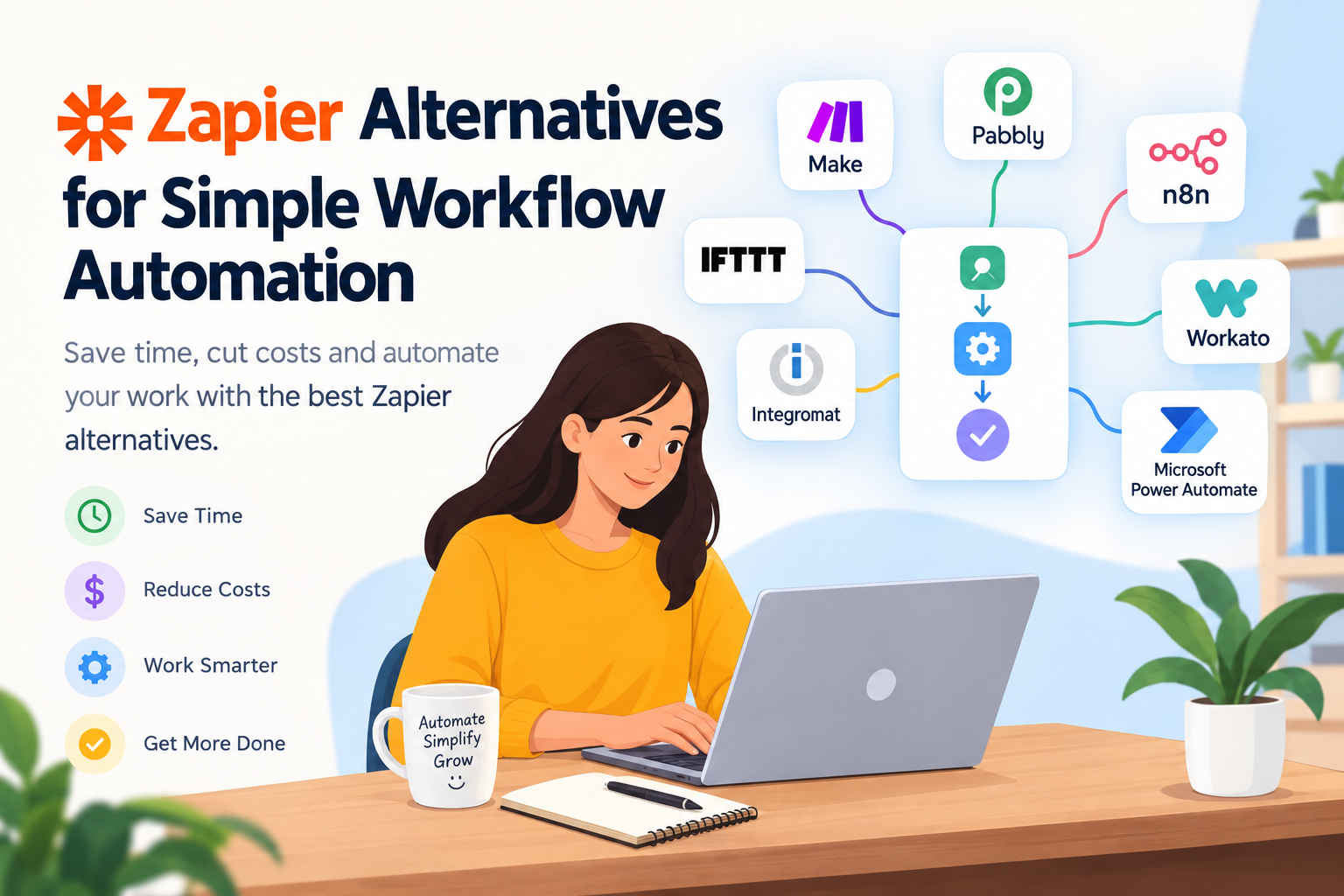
Make offers a visual approach to building connected workflows. IFTTT focuses on straightforward automation. Pabbly Connect provides business workflow capabilities, while n8n offers flexibility for technical users. Microsoft Power Automate supports processes across the Microsoft ecosystem, and Workato focuses on business integrations.
In my view, the most practical way to select automation software is to begin with a small task, test the available features, and evaluate the results before expanding.
You do not need to automate every activity at once. Even a few well designed workflows can reduce repetitive work and make daily operations easier to manage.
Whether you are a freelancer, startup founder, or small business owner, exploring these Zapier alternatives can help you find a workflow automation solution that fits your needs, budget, and working style.